Hardware Management Page
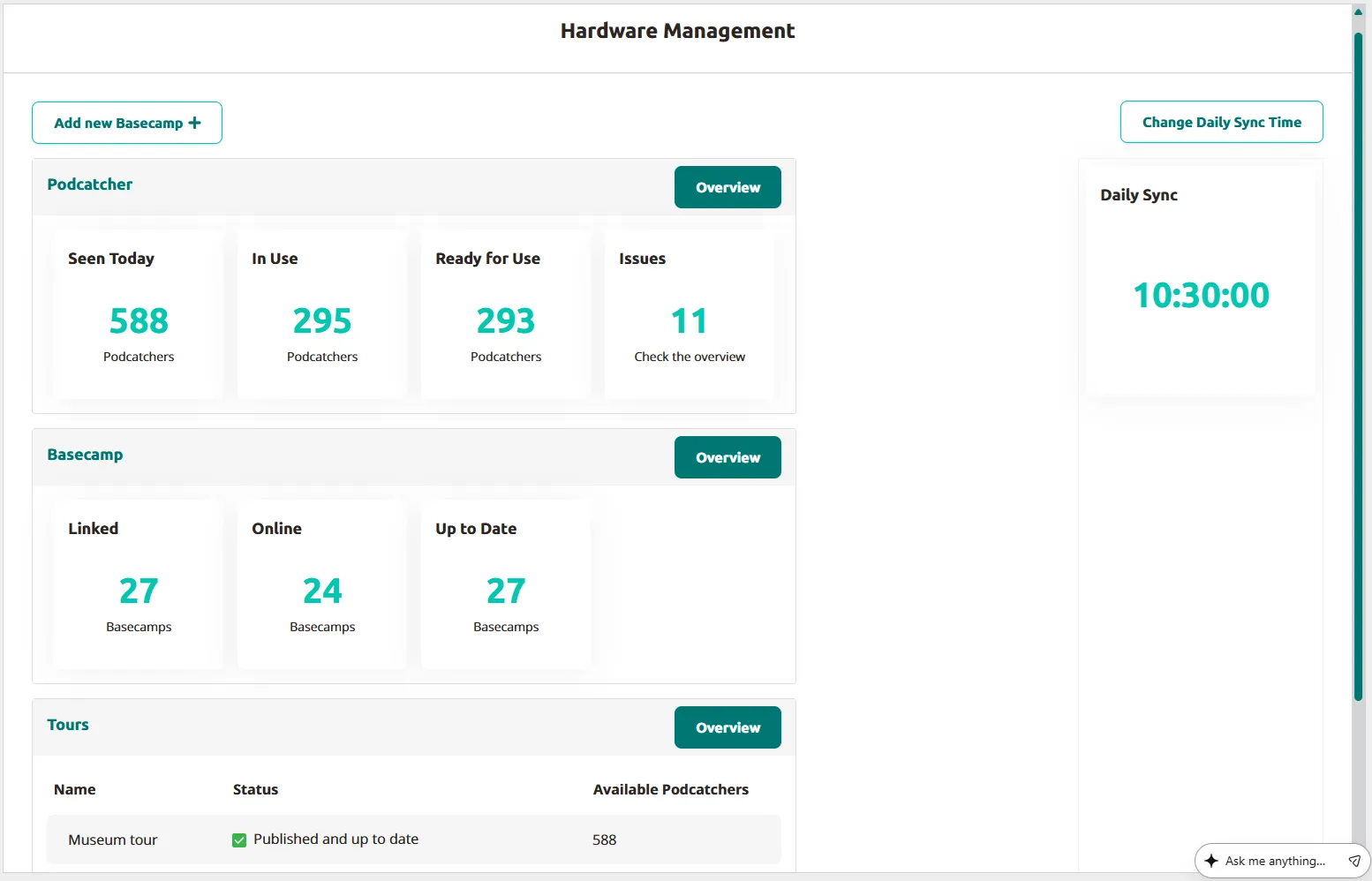
The hardware management page provides a quick overview of your site’s hardware status, containing several key sections for monitoring equipment and tours.
Main sections
Section titled “Main sections”Add new Basecamp
Section titled “Add new Basecamp”A button allows you to add a new Basecamp by entering the serial number and link key.
Daily sync
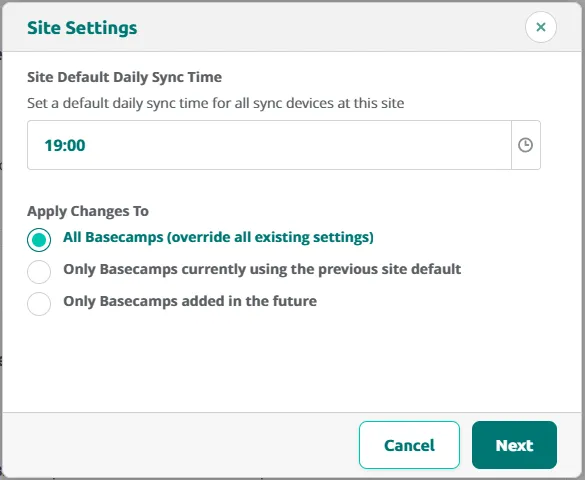
Section titled “Daily sync”Displays the scheduled time for the site’s daily synchronization. Individual Basecamps may have custom sync times assigned. Use Change Daily Sync Time button to open the Site Settings popup and set a Site Default Daily Sync Time for all sync devices. The popup will walk you through two steps: choosing the daily sync time and confirming who it applies to.
Step 1: Set the New Daily Sync Time
First, pick the daily sync time you want to use. Then choose which Basecamps should get it:
- All Basecamps - Every Basecamp switches to the new daily sync time. This overrides any custom daily sync time a Basecamp already had.
- Only Basecamps using the old default daily sync time - Only Basecamps that were still on the previous default get updated. If a Basecamp has its own custom daily sync time, it’s left alone.
- Only new Basecamps going forward - The new daily sync time becomes the default for Basecamps you create from now on. Nothing changes for Basecamps that already exist.
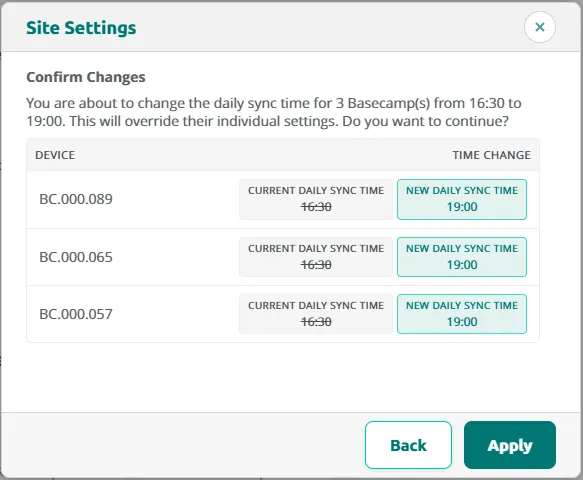
Step 2: Review and Confirm
Next, you’ll see a list of every Basecamp that will be updated, along with the new daily sync time it will get.
Check the list, and if it looks right, click Apply to save your changes.
Podcatcher Pro status
Section titled “Podcatcher Pro status”This section tracks portable device availability with four metrics:
- Podcatchers Seen Today — Devices synced today, indicating active units on your site.
- In Use — Devices currently away from the charging station.
- Ready for Use — Devices in the Basecamp with no problems, available for visitors.
- Issues — Malfunctioning devices seen in the past 30 days with red LED indicators requiring return.
Basecamp status
Section titled “Basecamp status”Monitors your charging stations with three metrics:
- Linked — Total Basecamps connected to your site.
- Online — Basecamps currently operational.
- Up to Date — Basecamps with the latest published content.
Tours overview
Section titled “Tours overview”Lists your site’s audio tours with status information including publication state (published, unpublished, or pending changes) and the number of Podcatchers each tour is deployed to.
Related articles
Section titled “Related articles”- Basecamp Detail Page — view status and docked devices per Basecamp
- Hardware Notifications — configure hardware alert emails
- Missing Podcatchers — track devices not seen recently
- Message Center — review actionable hardware notifications