Basecamp Overview
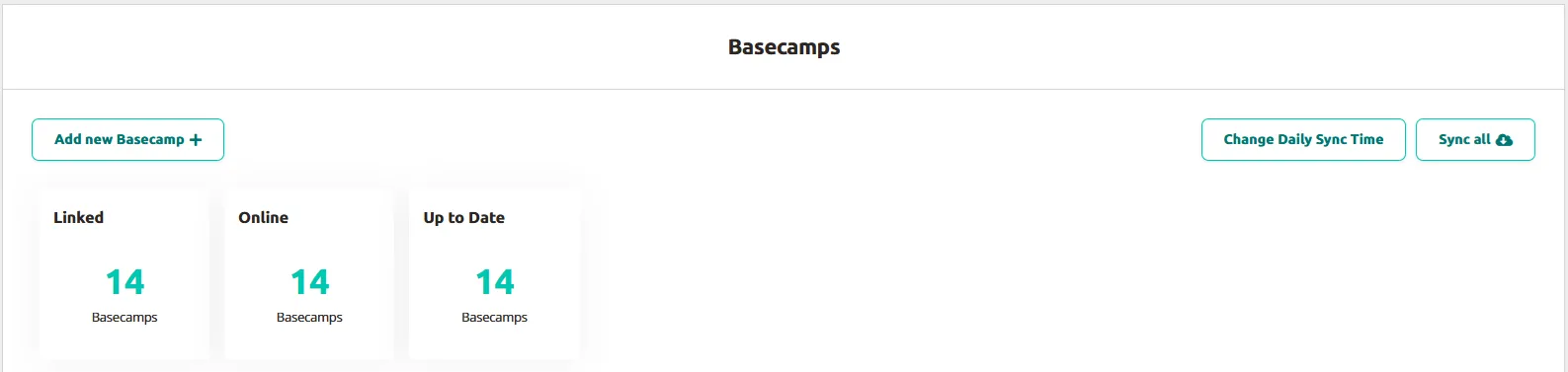
The Basecamp overview page provides a quick summary of connected Basecamps and their current status. You can manage multiple units and add new ones through this centralized interface.

Key components
Section titled “Key components”Add new Basecamp button
Section titled “Add new Basecamp button”Enables you to register new Basecamps using the serial number and link key found on each unit.
Sync all button
Section titled “Sync all button”Synchronizes all connected Basecamps simultaneously, ensuring they contain the latest content from the Platform.
Change Daily Sync Time button
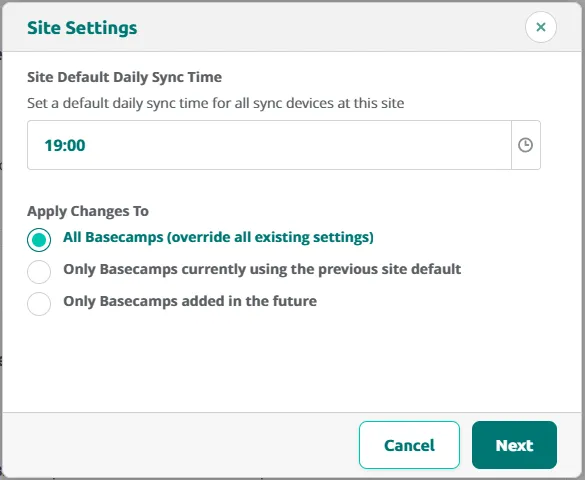
Section titled “Change Daily Sync Time button”Opens the Site Settings popup, where you set a Site Default Daily Sync Time — a default sync time for all sync devices at this site. The popup will walk you through two steps: choosing the daily sync time and confirming who it applies to.
Step 1: Set the New Daily Sync Time
First, pick the daily sync time you want to use. Then choose which Basecamps should get it:
- All Basecamps - Every Basecamp switches to the new daily sync time. This overrides any custom daily sync time a Basecamp already had.
- Only Basecamps using the old default daily sync time - Only Basecamps that were still on the previous default get updated. If a Basecamp has its own custom daily sync time, it’s left alone.
- Only new Basecamps going forward - The new daily sync time becomes the default for Basecamps you create from now on. Nothing changes for Basecamps that already exist.
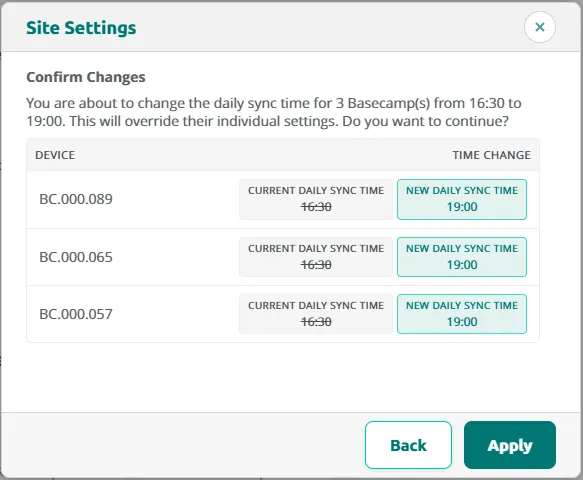
Step 2: Review and Confirm
Next, you’ll see a list of every Basecamp that will be updated, along with the new daily sync time it will get.
Check the list, and if it looks right, click Apply to save your changes.
Status fields
Section titled “Status fields”Three metrics display aggregated information:
- Number of Basecamps linked to the site.
- Count of units currently online.
- Units with up-to-date content.
An up-to-date Basecamp contains the latest Platform content. Any Podcatcher Pro devices placed inside synchronize at the Basecamp’s daily sync time.
Basecamp listing
Section titled “Basecamp listing”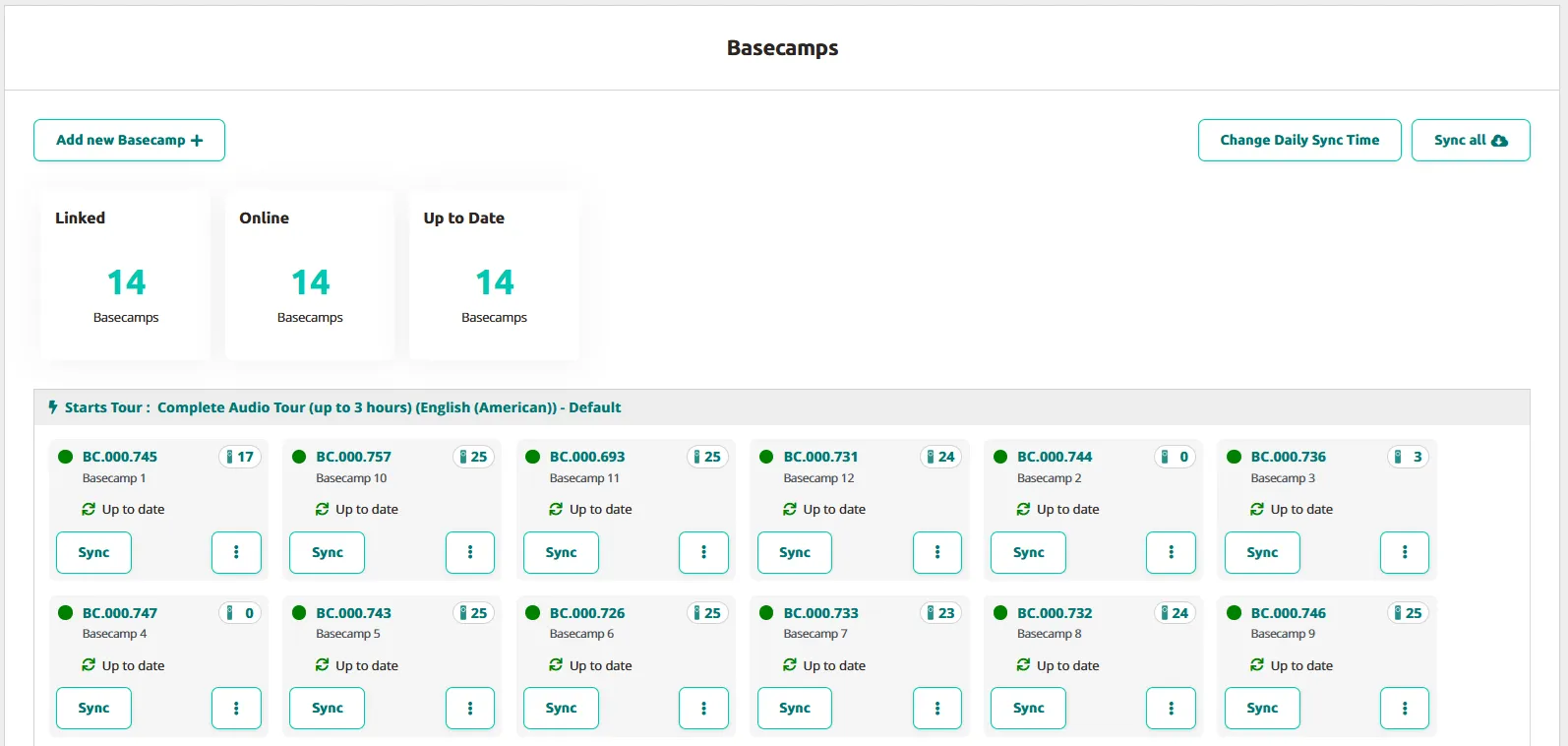
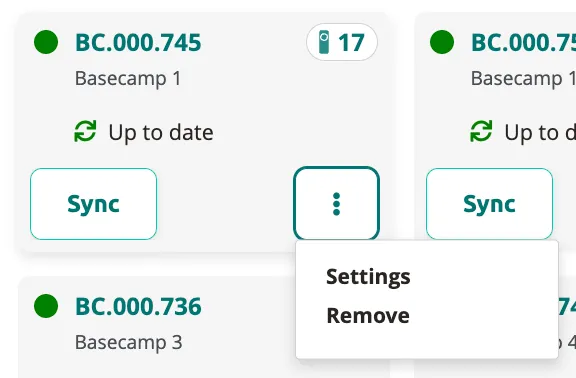
The system organizes units by autostart settings, tour assignments, and language preferences. Each entry shows:
- Serial number and location — The identifier from the unit’s bottom surface; location is user-editable for reference.
- Sync option — Manually synchronizes individual units with a progress tracker.
- Podcatcher count — Current number of devices inside (maximum 25).
- Status indicator — Displays online, offline, or synchronizing state.
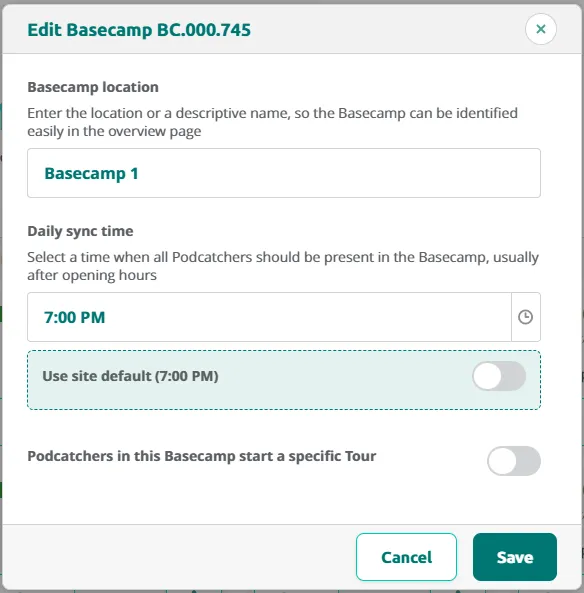
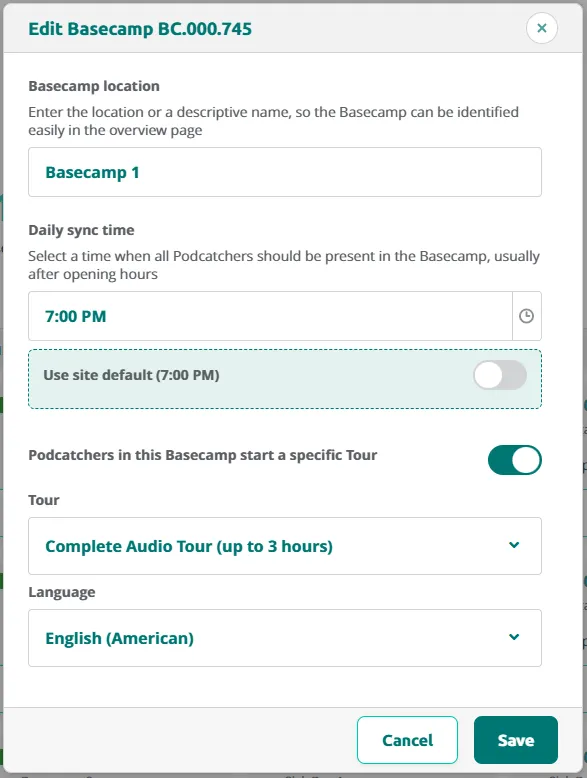
- Options menu — Access settings to modify location and autostart tour configuration; allows deletion.
Detail page access
Section titled “Detail page access”Clicking any Basecamp entry navigates to its dedicated detail page for comprehensive information about that specific unit.
Related articles
Section titled “Related articles”- Installing Your Basecamp — step-by-step setup guide
- Basecamp Detail Page — in-depth view of a single Basecamp
- Hardware Management — manage all hardware in the platform