Understanding the Brainbox
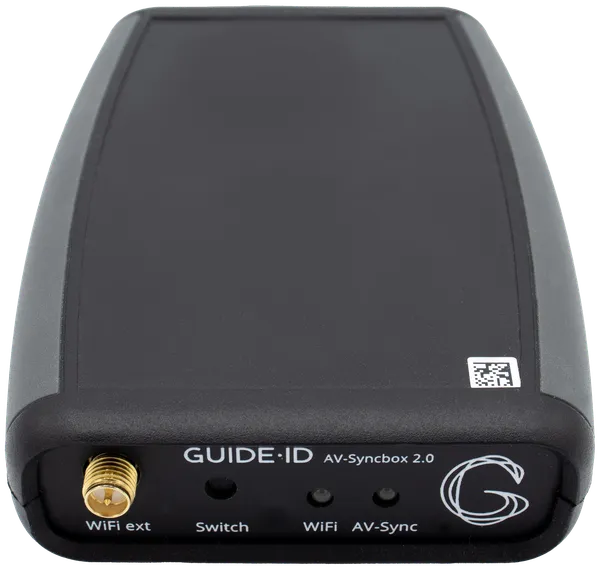
The Brainbox is a custom-built device that acts as the bridge between Podcatcher devices and external systems. It receives data from Podcatchers over BLE (Bluetooth Low Energy) and makes it available via USB serial — enabling AV-sync with media players, interactive installations, and real-time visitor tracking.
What the Brainbox does
Section titled “What the Brainbox does”The Brainbox has two main roles:
-
AV-sync — Connects to media players (e.g. BrightSign) and synchronizes video playback with personalized audio on each visitor’s Podcatcher. Groups can watch the same video while each visitor hears audio in their own language.
-
Serial data output — Exposes real-time Podcatcher data (visitor ID, clip playing, battery level, button presses, beacon triggers) as CSV frames on the USB serial port. Any computer or interactive installation can read this data.
How it works
Section titled “How it works”The Brainbox communicates with Podcatchers via BLE. It receives two types of data:
- Tracking frames (~1/second per device) — Current clip, battery voltage, button state, UWB distance
- Interactive frames (on beacon trigger) — Triggered clip, language, video request code
This data is output as CSV lines on the USB serial connection at 115200 baud. A flashing LED on the Brainbox indicates active operation.
Use cases
Section titled “Use cases”AV-sync with media players
Section titled “AV-sync with media players”Connect the Brainbox to a BrightSign player via USB. The Brainbox monitors audio markers and signals Podcatchers to synchronize audio playback with video. See AV-Sync Setup for configuration details.
Interactive installations
Section titled “Interactive installations”Connect the Brainbox to a computer via USB. Your custom software reads the serial data and reacts to visitor actions — for example, starting a video when a visitor approaches, displaying content in their language, or controlling exhibits based on button presses.
Visitor tracking
Section titled “Visitor tracking”Use the tracking frames to monitor visitor flow through an exhibit, track battery levels, and know which clips are being played in real time.
Getting started
Section titled “Getting started”- For AV-sync with BrightSign, see BrightAuthor:Connected Setup
- For the complete serial protocol specification, see Brainbox Serial Protocol Reference
- For beacon-triggered video playback, see Starting Videos by Scanning Beacons
Related articles
Section titled “Related articles”- Brainbox Serial Protocol Reference — full USB serial command documentation
- Understanding AV-Sync — how synchronized audio and video works
- BrightAuthor:Connected Setup — configure AV-Sync with BrightSign