Podcatcher Pro, What Is It?
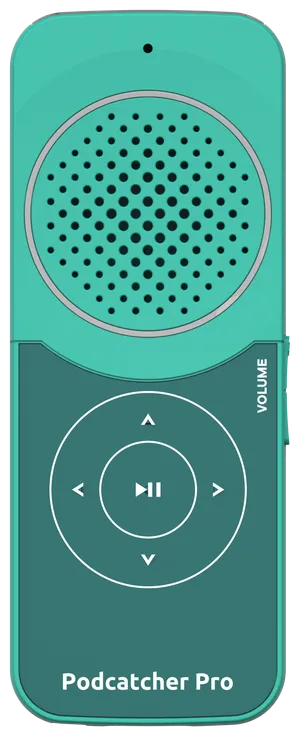
The Podcatcher Pro serves as a personal handheld audio guide for museum visitors and similar environments.
Preparation steps
Section titled “Preparation steps”To ready your Podcatcher Pro devices for guests:
- Unbox — Locate the Podcatcher Pro devices inside the box.
- Insert into Basecamp — Each Basecamp holds up to 25 units. The devices glow orange when inserted.
- Sync content — Navigate to your Platform’s Hardware > Basecamps section to sync your tour content.
- Verify readiness — Devices glow green when ready for use. Test by scanning a Beacon.
Key features
Section titled “Key features”Multiple triggering options
Section titled “Multiple triggering options”Visitors activate audio content in two ways: scanning a Bluetooth beacon, or automatic UWB triggering when they enter a zone. This combination provides flexibility for different exhibits.
Group tours
Section titled “Group tours”Guides can connect a microphone to stream their voice directly to visitor Podcatchers, enabling personal stories to your guests.
Automated triggering
Section titled “Automated triggering”UWB technology recognizes designated zones and triggers relevant audio as visitors enter specific areas, particularly beneficial for large exhibits where visitors might miss available content.
Battery and power
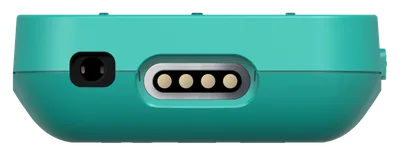
Section titled “Battery and power”The device maintains functionality throughout an entire day on a single charge. Recharging occurs conveniently by reinserting units into the Basecamp after use.
User-friendly design
Section titled “User-friendly design”The interface emphasizes simplicity — visitors trigger content without requiring apps or complex setup procedures, allowing focus on their museum experience.
Related articles
Section titled “Related articles”- Podcatcher Pro Datasheet — full technical specifications
- Podcatcher Pro Dimensions — size and weight specifications
- Hearing Accessibility Guide — neckloop and Bluetooth options for hearing aid users
- Basecamp Overview — charging and sync station for Podcatchers