Hardware
LED Indication Basecamp
The Basecamp has four LED indicators on its top edge, numbered 1 to 4: Power, System, Connection and Sync.
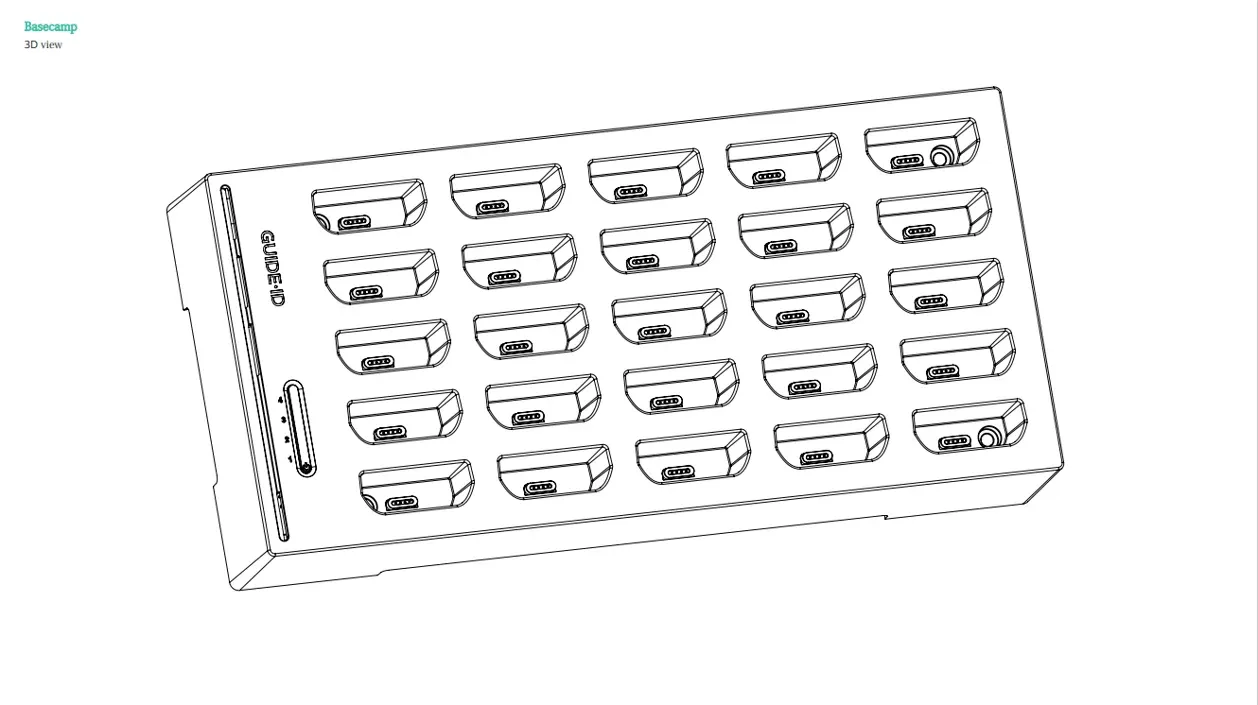
At power-on all four LEDs flash green and red for about two seconds (self-test). Once the Basecamp is running, online and has synced, all four are steady green. “Flash (2)” below means two short flashes per second, and so on.
1. Power LED
Section titled “1. Power LED”| Color | Blinking | Meaning | Action |
|---|---|---|---|
| Off | — | No power, or the Basecamp is switched off | Connect the power adapter, then press the button once |
| Green | No | Power connected | None |
| Orange | No | Power connected; the internal backup battery is not detected | None — the battery only serves a clean shutdown, you never need to do anything with it |
| Orange | Yes | No mains power; running on the internal backup battery | Connect the power adapter |
| Orange | Short flash every 5 s | Powered-off standby (transport mode) | Press the button once to start |
| Red | No | The charger does not deliver USB Power Delivery 20 V (wrong or too weak adapter) | Use the supplied 65 W adapter |
| Red | Yes, or Flash (1) | Internal backup battery error | Contact support |
2. System LED
Section titled “2. System LED”| Color | Blinking | Meaning | Action |
|---|---|---|---|
| Off | — | System off | Connect power, press the button once |
| Green | No | System running | None |
| Green | Yes | System starting | Wait |
| Orange | No | About to start (about 3 seconds) | Wait, or press the button to cancel |
| Orange | Yes | Shutting down or rebooting | Contact support if unexpected |
| Red | No | Recovery mode | Contact support |
| Red | Yes | Disabled after a battery error or four failed start-ups | Check the environment or contact support |
3. Connection LED
Section titled “3. Connection LED”| Color | Blinking | Meaning | Action |
|---|---|---|---|
| Off | — | No network link | Check the Ethernet cable |
| Green | No | Connected to Guide-ID | None |
| Green | Flash (1) | Retrieving configuration from Guide-ID | Wait up to two minutes |
| Green | Yes | Connected and transferring data (download, upload or update) | None |
| Orange | No | Internet works, but Guide-ID cannot be reached | Check the firewall — see Network Requirements |
| Orange | Yes | Wi-Fi hotspot active — configuration required | Complete the Wi-Fi setup or connect an Ethernet cable |
| Red | No | Configuration could not be retrieved from Guide-ID | Contact support |
| Red | Yes | No IP address received (DHCP) | Check the DHCP server |
| Red | Flash (2) | Captive portal detected (login page on the network) | Use a network without browser login |
| Red | Flash (3) | No gateway | Check the DHCP configuration |
| Red | Flash (4) | No DNS server | Check the DHCP configuration |
| Red | Flash (5) | Unknown connectivity problem | Check the connection and firewall |
4. Sync LED
Section titled “4. Sync LED”| Color | Blinking | Meaning | Action |
|---|---|---|---|
| Off | — | Sync disabled: no content downloaded yet, the last download failed, or the last download is older than 24 hours | Link the Basecamp in the Platform, or click Sync on the Basecamps page |
| Green | No | Last sync completed successfully | None |
| Green | Yes | Sync running | None |
| Orange | No | Sync scheduled | Wait, or click Sync to start now |
Together the four LEDs cover power, system state, network connectivity and content synchronization.
Related articles
Section titled “Related articles”- Installing Your Basecamp — step-by-step setup guide
- Basecamp Network Issues — troubleshoot connectivity problems
- Basecamp Overview — manage and monitor your Basecamps
Was this article helpful?