Replacing Batteries
The Beacon Lite runs on a single CR2032 coin cell. Replacing it takes a minute; choosing the right moment is what keeps your tour running.
When to replace
Section titled “When to replace”Plan a replacement round about every 18 months. Do not wait for the battery status in the Platform to turn red.
Once a beacon shows red, it usually keeps working for another two to three weeks. That is enough time to replace one beacon, but not to plan a round for the whole site. Beacons that were installed together usually turn red together.
As long as the status is not red, you can rely on it.
Choosing a battery
Section titled “Choosing a battery”Use a CR2032 from a well-known brand, such as Renata (the brand Guide-ID fits), Varta, Panasonic, Energizer or Duracell.
- Do not choose on capacity. A higher mAh figure on the packaging does not give you a longer service life in a Beacon Lite.
- Avoid unbranded multipacks from online marketplaces.
- Use fresh stock and leave the cells in their packaging until you use them.
Instructions
Section titled “Instructions”Opening the device
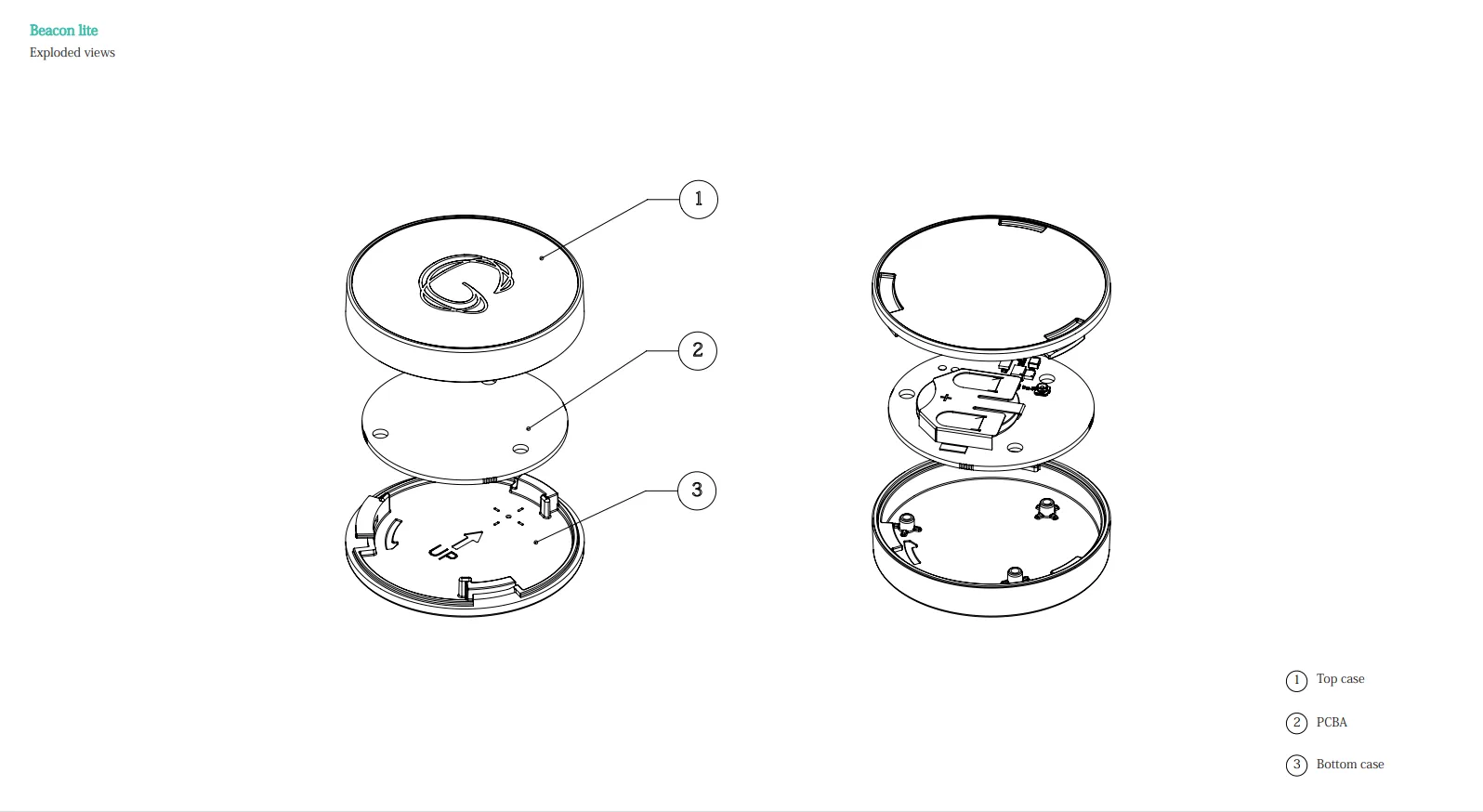
Section titled “Opening the device”Depending on the Beacon Lite type, you can either twist the cap to open it or loosen the mini screw on the back using a PH0 or similar Phillips screwdriver.
Battery replacement
Section titled “Battery replacement”- Take out the old cell.
- Hold the new CR2032 by its edge; keep your fingers off the flat faces, because fingerprints on the contacts can shorten the battery life.
- Slide the cell fully under the metal clip so it sits flat.
- Line up the markers: the small white icon on the circuit board must sit opposite the matching icon that is just visible on the plastic housing. This is how the board and the housing fit together; if they are not aligned, the cap will not twist shut.
- Twist the cap back on. If your device has a mini screw, reinsert it and fasten it with a PH0 or similar Phillips screwdriver.
Checking the result
Section titled “Checking the result”The new battery status appears in the Platform after a Podcatcher Pro has passed the beacon and has been docked in a Basecamp. Allow up to a day.
A correctly replaced beacon shows a full battery and stays that way for months. If a beacon shows a low battery right after you replaced the cell, open it again and check that the cell sits properly under the clip.
Special cases
Section titled “Special cases”If the device cannot be opened
Section titled “If the device cannot be opened”If the Beacon Lite cannot be opened, send it back for replacement.
Beacon Lite Waterproof
Section titled “Beacon Lite Waterproof”The battery of the Beacon Lite Waterproof cannot be replaced. Return the device for a replacement unit.
Outdoor and unheated locations
Section titled “Outdoor and unheated locations”Cold shortens the life of a coin cell. Indoors this plays no role, but for beacons in unheated or outdoor locations, plan replacement rounds more often.
Related articles
Section titled “Related articles”- Battery Maintenance — maintain Beacon Pro battery health
- Beacon Lite Datasheet — full specifications
- What is a Beacon? — overview of beacon technology