Getting started
Getting Started with Guide-ID
Welcome to Guide-ID. This guide walks you through the five steps to go from a new account to a live audio tour at your venue.
What you will need
Section titled “What you will need”Before you begin, make sure you have:
- A Guide-ID account (your Business Manager will provide login credentials)
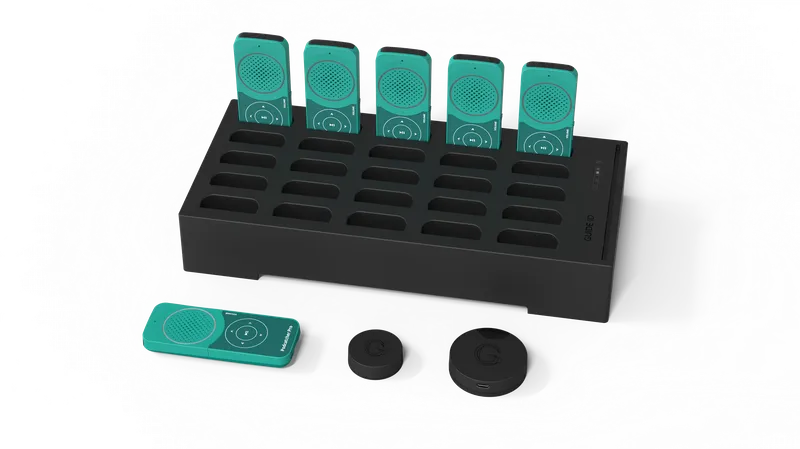
- Your hardware shipment (Basecamp, Podcatcher Pro devices, Beacons)
- A network connection at your venue (wired Ethernet recommended)
Your onboarding path
Section titled “Your onboarding path”Step 1 — Set up your account
Section titled “Step 1 — Set up your account”Log in to the Platform, complete your profile, and configure your site settings.
Step 2 — Prepare your network
Section titled “Step 2 — Prepare your network”Share the network requirements with your IT team so the Basecamp can connect.
- Network Requirements — ports, domains, and infrastructure
Step 3 — Install your hardware
Section titled “Step 3 — Install your hardware”Mount Basecamps, place Beacons, and dock your Podcatcher Pro devices.
- Quick Start Guide — connect hardware and create your first tour
- Basecamp Installation — detailed setup guide
- Beacon Pro Installation — mounting and placement
- What is a Beacon? — understand beacon types
Step 4 — Create your first tour
Section titled “Step 4 — Create your first tour”Build stops, add audio content, configure languages, and set up beacons.
- Create a Tour — step-by-step wizard
- Adding Content to a Tour — audio, text, and translations
- Text-to-Speech — generate audio quickly
Step 5 — Go live
Section titled “Step 5 — Go live”Publish your tour and verify everything works before opening to visitors.
- Go Live Checklist — final checks before launch
- Publishing a Tour — make it available to visitors
Related articles
Section titled “Related articles”- Tips and Tricks — best practices for building engaging tours
- Hardware Management — monitor your devices after setup
- Activate PWA — enable mobile web access for visitors
Was this article helpful?